
AI Connect for Dialpad
Dialpad calls, texts and the Dialpad Dialer inside HighLevel. AI turns answered calls and the Dialpad AI recap into key facts, tasks and draft follow-ups.
Media
Description
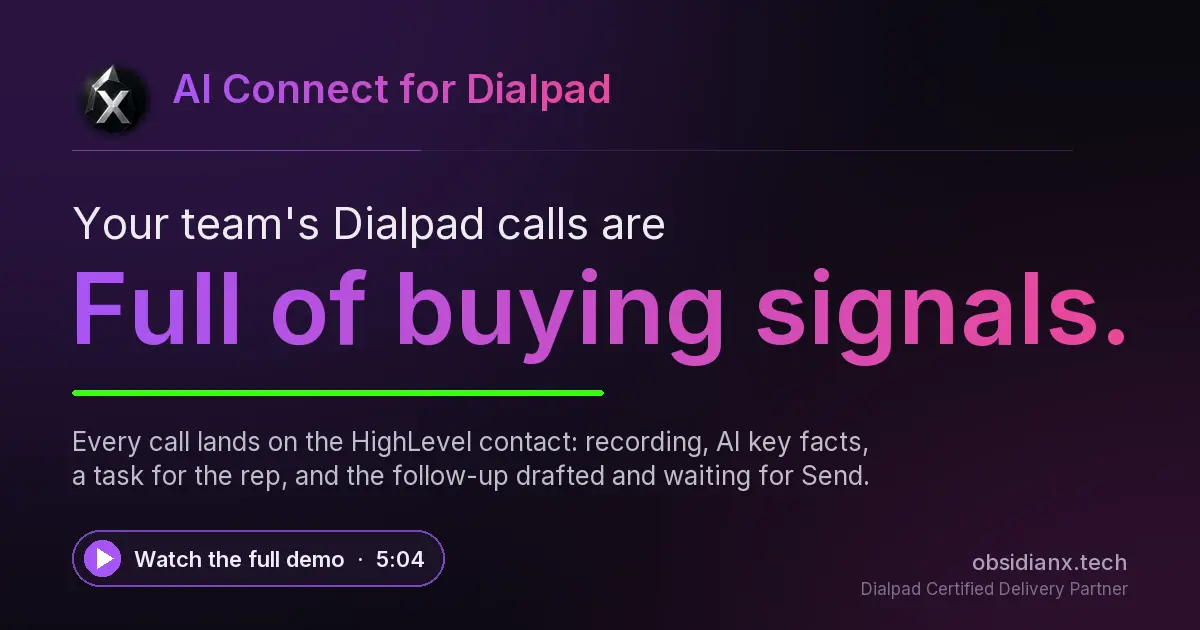
AI Connect for Dialpad joins Dialpad and HighLevel so answered calls become the next step on the right contact, without anyone typing it up.
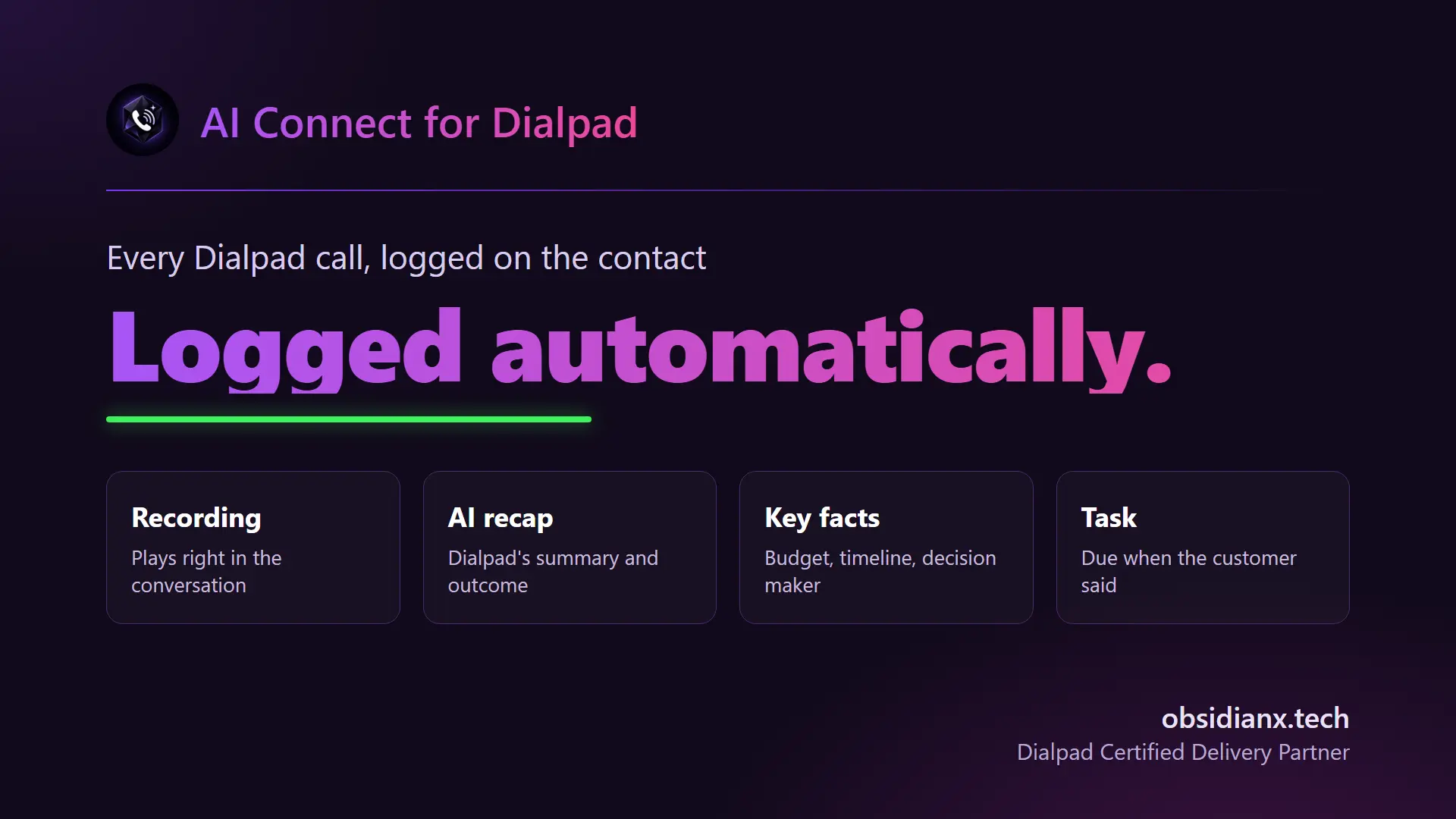
Every call, on the right contact. Inbound calls, outbound calls and voicemails log on the HighLevel contact with the Dialpad AI recap, a transcript link and the recording when your team records calls in Dialpad. New callers get a contact made from their number.
AI that works the call for you. On answered calls, AI pulls the key facts from the transcript when they come up (budget, timeline, decision maker, objections, competitor and next step) and adds intent and risk tags. Action items become HighLevel tasks for the rep who took the call, and the call outcome can move the deal to the right pipeline stage.
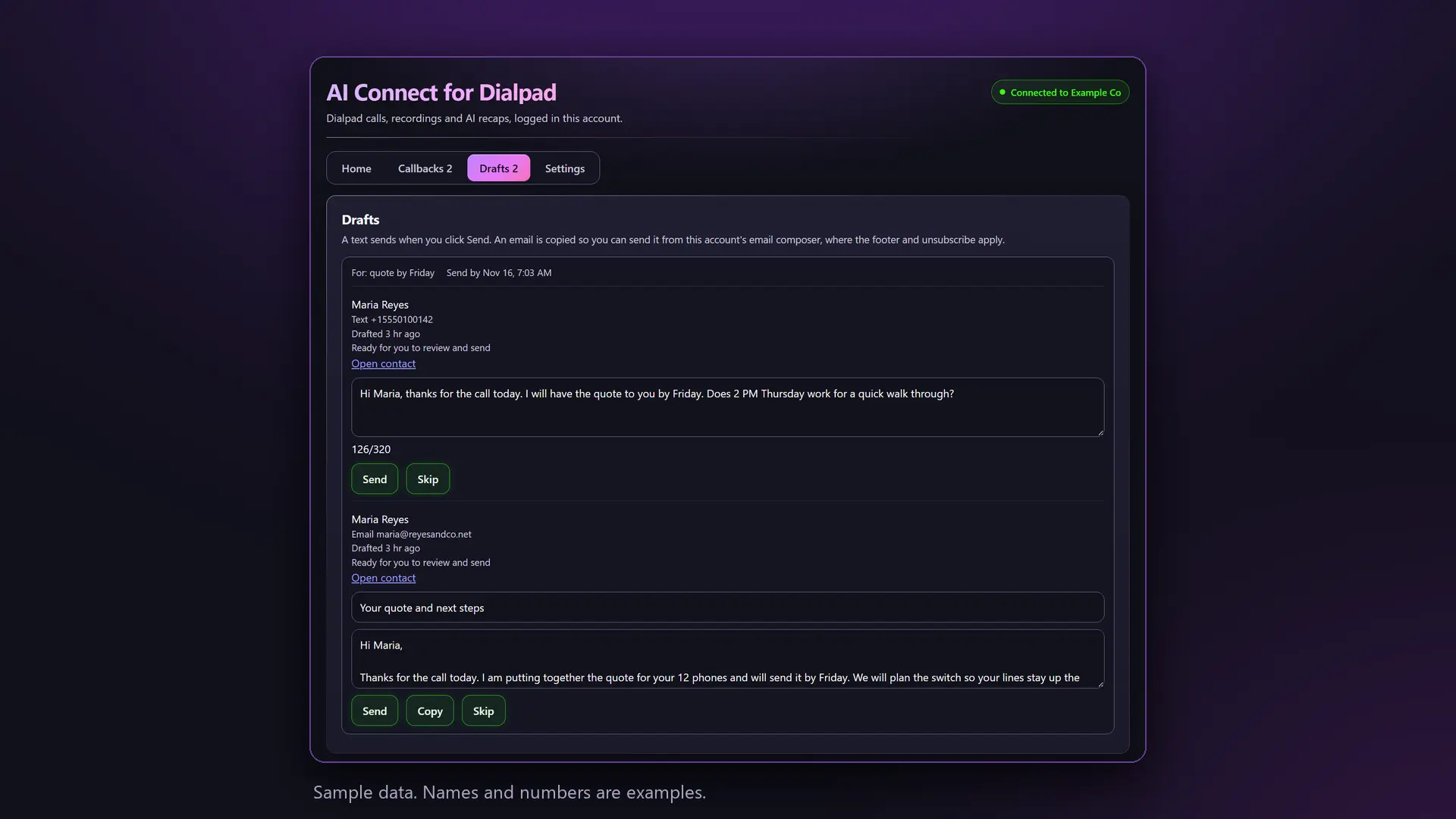
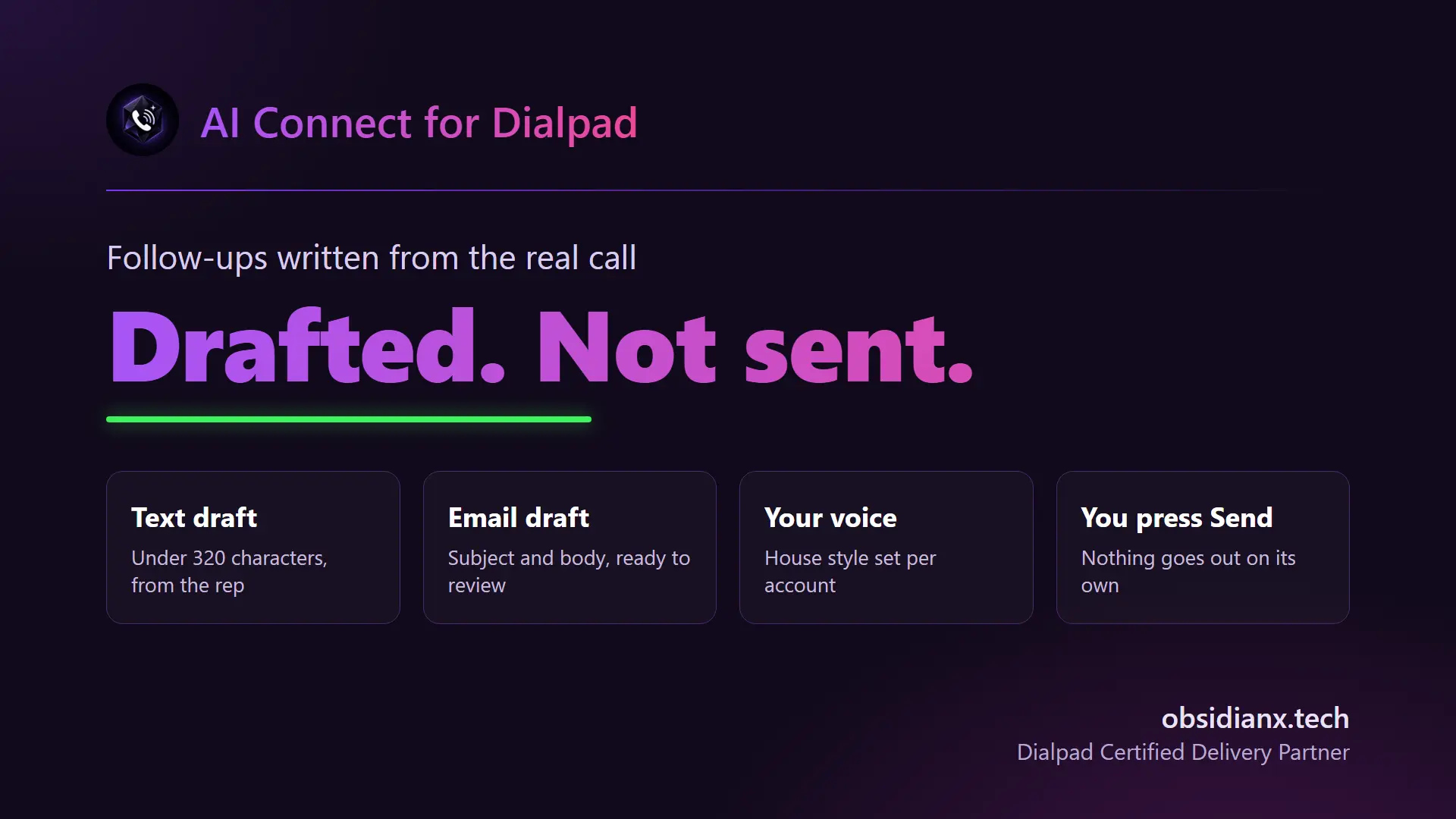
Follow-ups already drafted. After a call with a next step, AI drafts the follow-up text and the follow-up email from what was actually said, not from a template. The email ends with the rep's name, email and phone. The rep reviews, edits if needed and presses Send. Nothing goes out without a person.
Hand a call to your own HighLevel agent. If you run a HighLevel Managed Agent, an admin turns on the CRM agent hand-off in Settings and picks a multi line contact field. A rep then presses Send to my CRM agent on a call, and AI Connect writes that call's recap, key facts, outcome and a link to the call into the field and adds a tag. Your own HighLevel workflow picks up the tag and runs your agent, which does the follow-up work you built it for. HighLevel's own AI cannot read calls it did not record, so this is how your Dialpad calls reach your HighLevel agents. AI Connect never hands a call over on its own and never sends the transcript or the recording. HighLevel bills each agent run to your HighLevel AI plan.
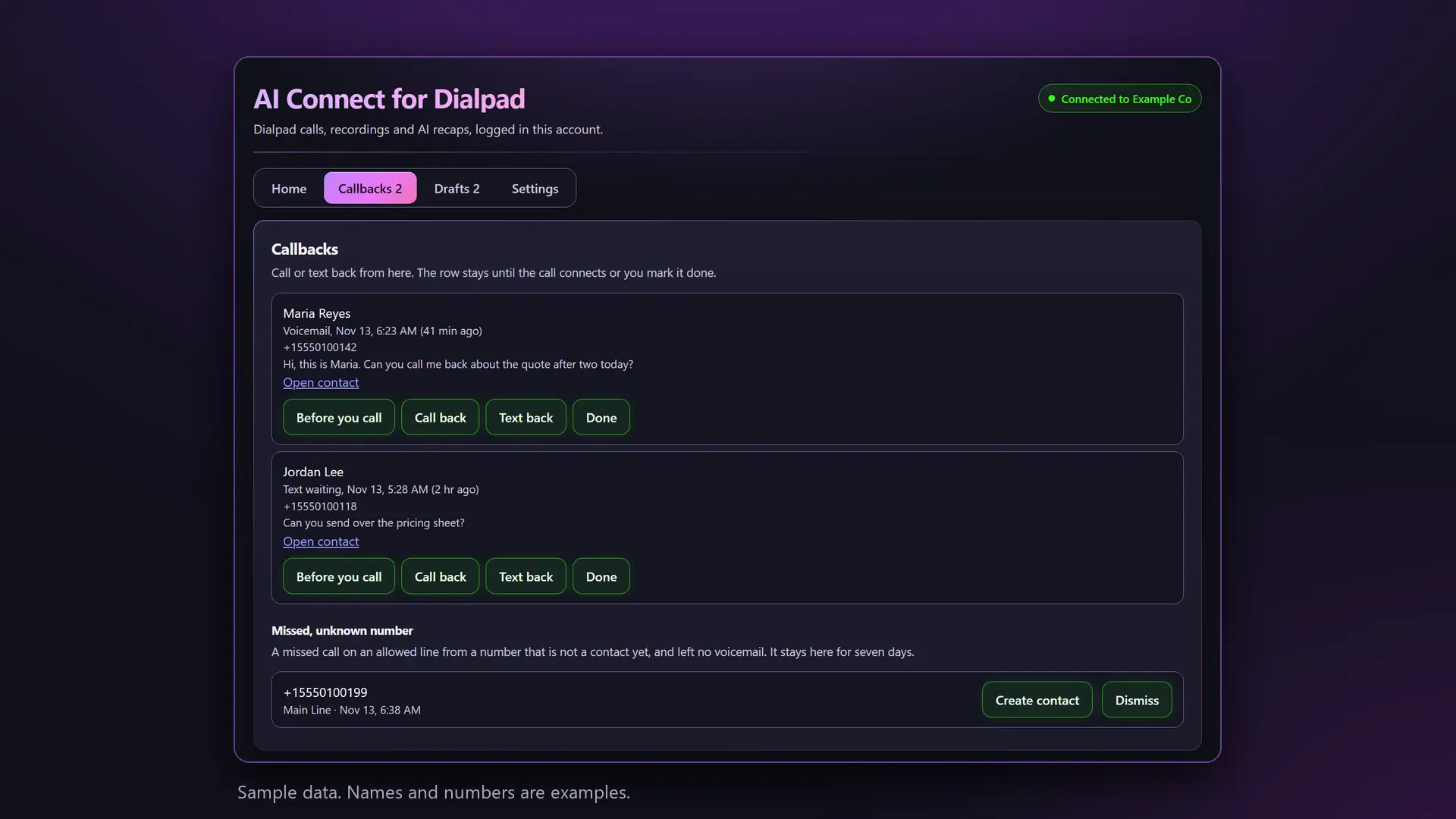
Nobody left waiting. Missed calls, voicemails and texts nobody answered land in one callback list with Call back, Text back and Done, so every lead gets a reply. The owner of a waiting text, or an admin, can hand it back to the team, which clears the owner and leaves a team note so anyone can pick it up.
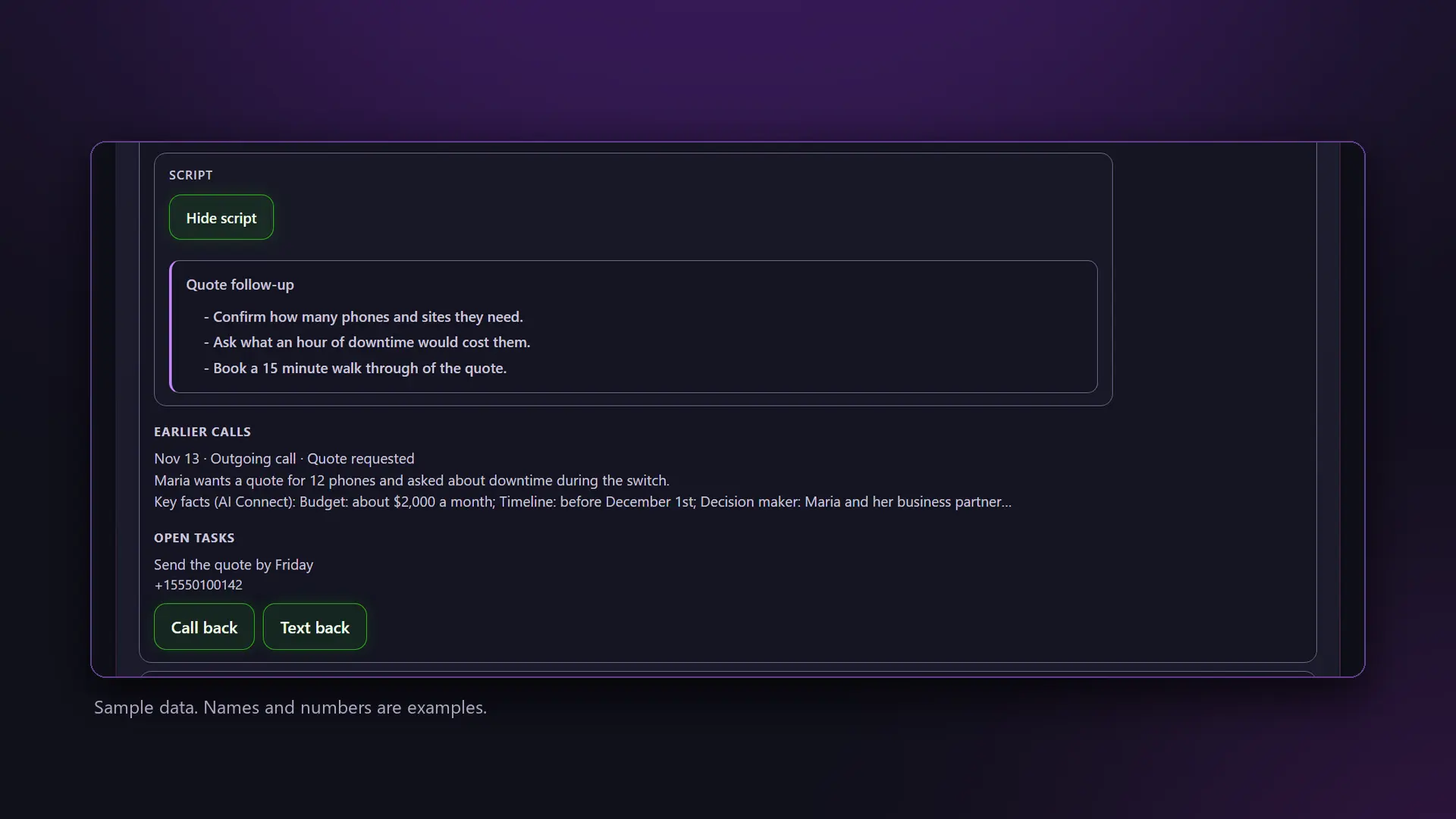
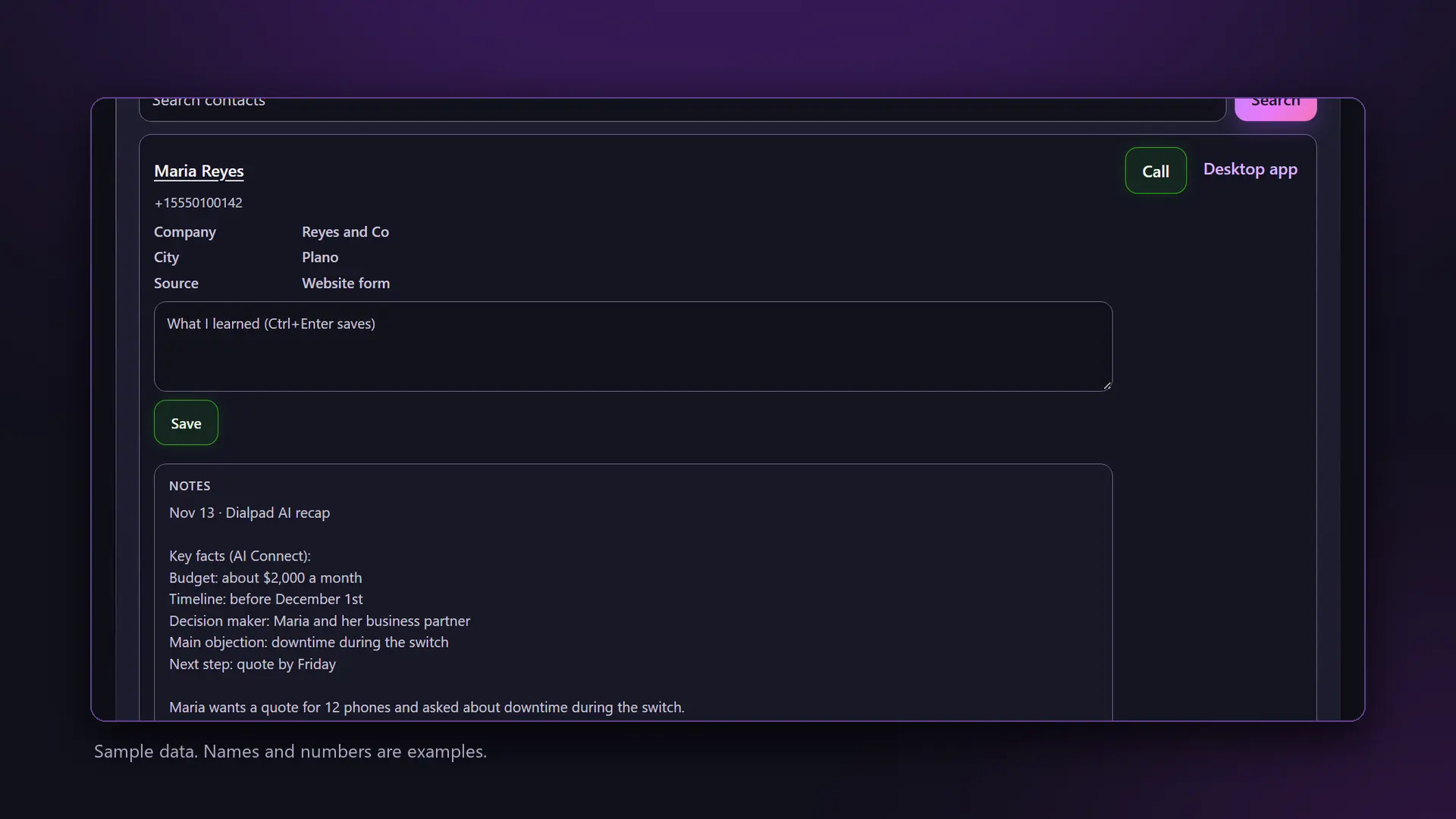
Know them before you dial. Open any contact in AI Connect and the Before you call card shows the fields your team picked, the latest notes, your call script with names filled in, the last three calls with their recaps and key facts, open tasks and any callback waiting. A What I learned box saves your own note to the contact.
Call and text from HighLevel. Call rings the rep's Dialpad app or desk phone first, and when the rep answers, Dialpad dials the contact. Open in Dialpad app puts the number in the Dialpad desktop app, ready for the rep to press call. Both log the call to the contact. Two-way texting runs on your Dialpad numbers inside HighLevel conversations, from the account number or each rep's own number.
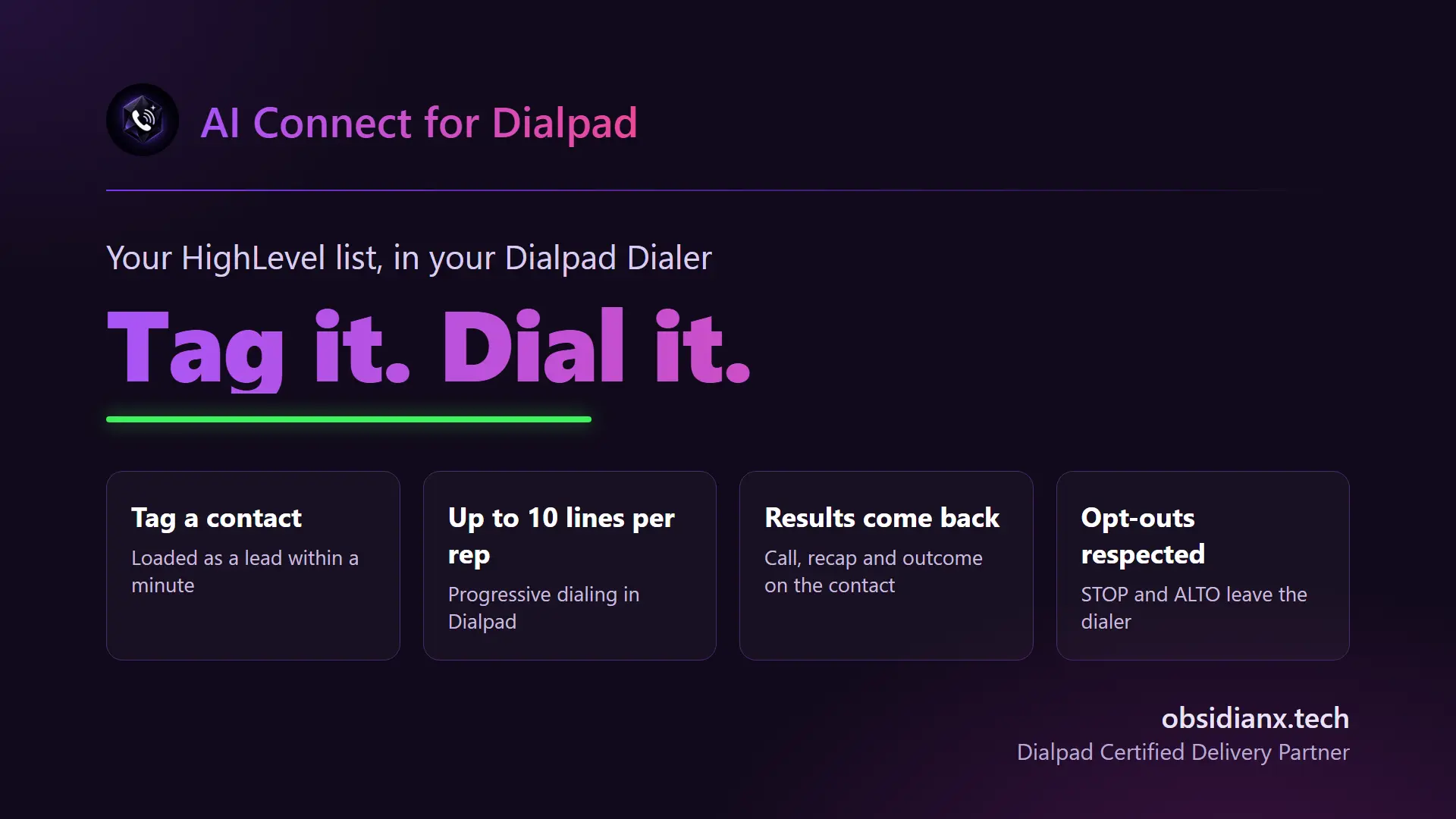
The Dialpad Dialer, fed by HighLevel. Tag a contact, bulk tag a smart list, or let a workflow add the tag, and the leads load into your Dialpad Dialer campaign. The Dialer can call up to ten numbers at once for each rep, leave your recorded voicemail when it reaches one, and ring only the live answers through. Every result comes back to the contact. The Dialer bridge uses Dialpad Support seats and its own API key with the Power Dialer scope.
Compliance built in. STOP and plain-language opt-outs in English and Spanish sync to HighLevel do not disturb, texts can wait for quiet hours in the contact's local time, and a consent check runs before dialing contacts in states that require one.
Connect with Dialpad sign-in or an API key; the Dialer takes its own key. Built, installed and supported by Obsidian X, a Dialpad Certified Delivery Partner. AI Connect support: 469.592.8204.
Services
Calls and AI on every contact
Calls, voicemails, Dialpad AI recaps and recordings (when you record) log on the right HighLevel contact. On answered calls, AI writes the key facts, creates the tasks and can move the deal stage from the call outcome. Once you turn it on, a rep can send a call to your own HighLevel agent with one button.
Follow-ups and callbacks
A follow-up text and email drafted from each call wait for the rep to review and send, and the email ends with the rep's name, email and phone. Missed calls, voicemails and unanswered texts land in one callback list.
Dialpad Dialer from HighLevel
Tag a contact, a smart list or a workflow and leads load into your Dialpad Dialer campaign. Up to ten lines per rep, voicemail drop and live answers only, with every result back on the contact.
Benefits
No more manual call logging
Reps stay on the phone instead of typing notes. The call, the recap and the tasks are on the contact before the next call starts.
Follow up while it is fresh
The text and email are drafted from the real conversation, so the follow-up goes out in minutes, not at the end of the day.
More conversations a day
The Dialpad Dialer works your HighLevel lists and only connects live answers, so reps spend the day talking to people.
FAQ
Yes. AI Connect runs inside a HighLevel sub-account and connects it to your Dialpad company. If you are not on HighLevel yet, Obsidian X can help you get started.
Each draft is written from the conversation on that specific call: what the caller actually said, the action items and the next step. It is not a template. The text and email wait in HighLevel until someone on your team reviews them and presses Send.
A Dialpad company admin connects AI Connect with Dialpad sign-in or an API key. Texting needs your Dialpad numbers registered for business texting (A2P 10DLC). The Dialer bridge needs Dialpad Support seats, a Dialer-enabled contact center and its own API key with the Power Dialer scope, pasted in the Dialer key box even when you connect with Dialpad sign-in.
One flat price per HighLevel sub-account with every user included. Core is $99 a month. Core + Dialer is $149 a month per sub-account, for up to 10 dialing reps. Agency is $249 a month for unlimited reps and sub-accounts. When your Dialpad comes through Obsidian X, AI Connect is $0.
Obsidian X, a Dialpad Certified Delivery Partner, installs AI Connect, connects your Dialpad and HighLevel, and supports it after go-live.
No. AI drafts the text and email, and a person on your team reviews them and presses Send.
Yes, once you turn it on. An admin turns on the CRM agent hand-off in Settings and picks a multi line contact field, and you build one HighLevel workflow: Contact Tag Added (tag "ai connect: send to agent"), Invoke Managed Agent with that field, then Remove Tag, with Allow re-entry on. A rep sends a call by pressing Send to my CRM agent; AI Connect never sends one on its own, and never sends the transcript or the recording. A call can be sent once every 10 minutes, and a contact once every 2 minutes. Your agent does the work you build it for, and HighLevel bills each agent run to your HighLevel AI plan.
AI Connect for Dialpad
Dialpad calls, texts and the Dialpad Dialer inside HighLevel. AI turns answered calls and the Dialpad AI recap into key facts, tasks and draft follow-ups.
Media
Description
AI Connect for Dialpad joins Dialpad and HighLevel so answered calls become the next step on the right contact, without anyone typing it up.
Every call, on the right contact. Inbound calls, outbound calls and voicemails log on the HighLevel contact with the Dialpad AI recap, a transcript link and the recording when your team records calls in Dialpad. New callers get a contact made from their number.
AI that works the call for you. On answered calls, AI pulls the key facts from the transcript when they come up (budget, timeline, decision maker, objections, competitor and next step) and adds intent and risk tags. Action items become HighLevel tasks for the rep who took the call, and the call outcome can move the deal to the right pipeline stage.
Follow-ups already drafted. After a call with a next step, AI drafts the follow-up text and the follow-up email from what was actually said, not from a template. The email ends with the rep's name, email and phone. The rep reviews, edits if needed and presses Send. Nothing goes out without a person.
Hand a call to your own HighLevel agent. If you run a HighLevel Managed Agent, an admin turns on the CRM agent hand-off in Settings and picks a multi line contact field. A rep then presses Send to my CRM agent on a call, and AI Connect writes that call's recap, key facts, outcome and a link to the call into the field and adds a tag. Your own HighLevel workflow picks up the tag and runs your agent, which does the follow-up work you built it for. HighLevel's own AI cannot read calls it did not record, so this is how your Dialpad calls reach your HighLevel agents. AI Connect never hands a call over on its own and never sends the transcript or the recording. HighLevel bills each agent run to your HighLevel AI plan.
Nobody left waiting. Missed calls, voicemails and texts nobody answered land in one callback list with Call back, Text back and Done, so every lead gets a reply. The owner of a waiting text, or an admin, can hand it back to the team, which clears the owner and leaves a team note so anyone can pick it up.
Know them before you dial. Open any contact in AI Connect and the Before you call card shows the fields your team picked, the latest notes, your call script with names filled in, the last three calls with their recaps and key facts, open tasks and any callback waiting. A What I learned box saves your own note to the contact.
Call and text from HighLevel. Call rings the rep's Dialpad app or desk phone first, and when the rep answers, Dialpad dials the contact. Open in Dialpad app puts the number in the Dialpad desktop app, ready for the rep to press call. Both log the call to the contact. Two-way texting runs on your Dialpad numbers inside HighLevel conversations, from the account number or each rep's own number.
The Dialpad Dialer, fed by HighLevel. Tag a contact, bulk tag a smart list, or let a workflow add the tag, and the leads load into your Dialpad Dialer campaign. The Dialer can call up to ten numbers at once for each rep, leave your recorded voicemail when it reaches one, and ring only the live answers through. Every result comes back to the contact. The Dialer bridge uses Dialpad Support seats and its own API key with the Power Dialer scope.
Compliance built in. STOP and plain-language opt-outs in English and Spanish sync to HighLevel do not disturb, texts can wait for quiet hours in the contact's local time, and a consent check runs before dialing contacts in states that require one.
Connect with Dialpad sign-in or an API key; the Dialer takes its own key. Built, installed and supported by Obsidian X, a Dialpad Certified Delivery Partner. AI Connect support: 469.592.8204.
Services
Calls and AI on every contact
Calls, voicemails, Dialpad AI recaps and recordings (when you record) log on the right HighLevel contact. On answered calls, AI writes the key facts, creates the tasks and can move the deal stage from the call outcome. Once you turn it on, a rep can send a call to your own HighLevel agent with one button.
Follow-ups and callbacks
A follow-up text and email drafted from each call wait for the rep to review and send, and the email ends with the rep's name, email and phone. Missed calls, voicemails and unanswered texts land in one callback list.
Dialpad Dialer from HighLevel
Tag a contact, a smart list or a workflow and leads load into your Dialpad Dialer campaign. Up to ten lines per rep, voicemail drop and live answers only, with every result back on the contact.
Benefits
No more manual call logging
Reps stay on the phone instead of typing notes. The call, the recap and the tasks are on the contact before the next call starts.
Follow up while it is fresh
The text and email are drafted from the real conversation, so the follow-up goes out in minutes, not at the end of the day.
More conversations a day
The Dialpad Dialer works your HighLevel lists and only connects live answers, so reps spend the day talking to people.
FAQ
Yes. AI Connect runs inside a HighLevel sub-account and connects it to your Dialpad company. If you are not on HighLevel yet, Obsidian X can help you get started.
Each draft is written from the conversation on that specific call: what the caller actually said, the action items and the next step. It is not a template. The text and email wait in HighLevel until someone on your team reviews them and presses Send.
A Dialpad company admin connects AI Connect with Dialpad sign-in or an API key. Texting needs your Dialpad numbers registered for business texting (A2P 10DLC). The Dialer bridge needs Dialpad Support seats, a Dialer-enabled contact center and its own API key with the Power Dialer scope, pasted in the Dialer key box even when you connect with Dialpad sign-in.
One flat price per HighLevel sub-account with every user included. Core is $99 a month. Core + Dialer is $149 a month per sub-account, for up to 10 dialing reps. Agency is $249 a month for unlimited reps and sub-accounts. When your Dialpad comes through Obsidian X, AI Connect is $0.
Obsidian X, a Dialpad Certified Delivery Partner, installs AI Connect, connects your Dialpad and HighLevel, and supports it after go-live.
No. AI drafts the text and email, and a person on your team reviews them and presses Send.
Yes, once you turn it on. An admin turns on the CRM agent hand-off in Settings and picks a multi line contact field, and you build one HighLevel workflow: Contact Tag Added (tag "ai connect: send to agent"), Invoke Managed Agent with that field, then Remove Tag, with Allow re-entry on. A rep sends a call by pressing Send to my CRM agent; AI Connect never sends one on its own, and never sends the transcript or the recording. A call can be sent once every 10 minutes, and a contact once every 2 minutes. Your agent does the work you build it for, and HighLevel bills each agent run to your HighLevel AI plan.