CallConnector.ai
CallConnector.ai logs Dialpad calls and texts to Clio Manage, Clio Grow, Zoho CRM, Smokeball, Lawmatics, and many more accounts to increase call efficiency and improve your customer relationships.
Media
Overview
Seamless Integration with Clio, Zoho CRM, Smokeball, Lawmatics and More
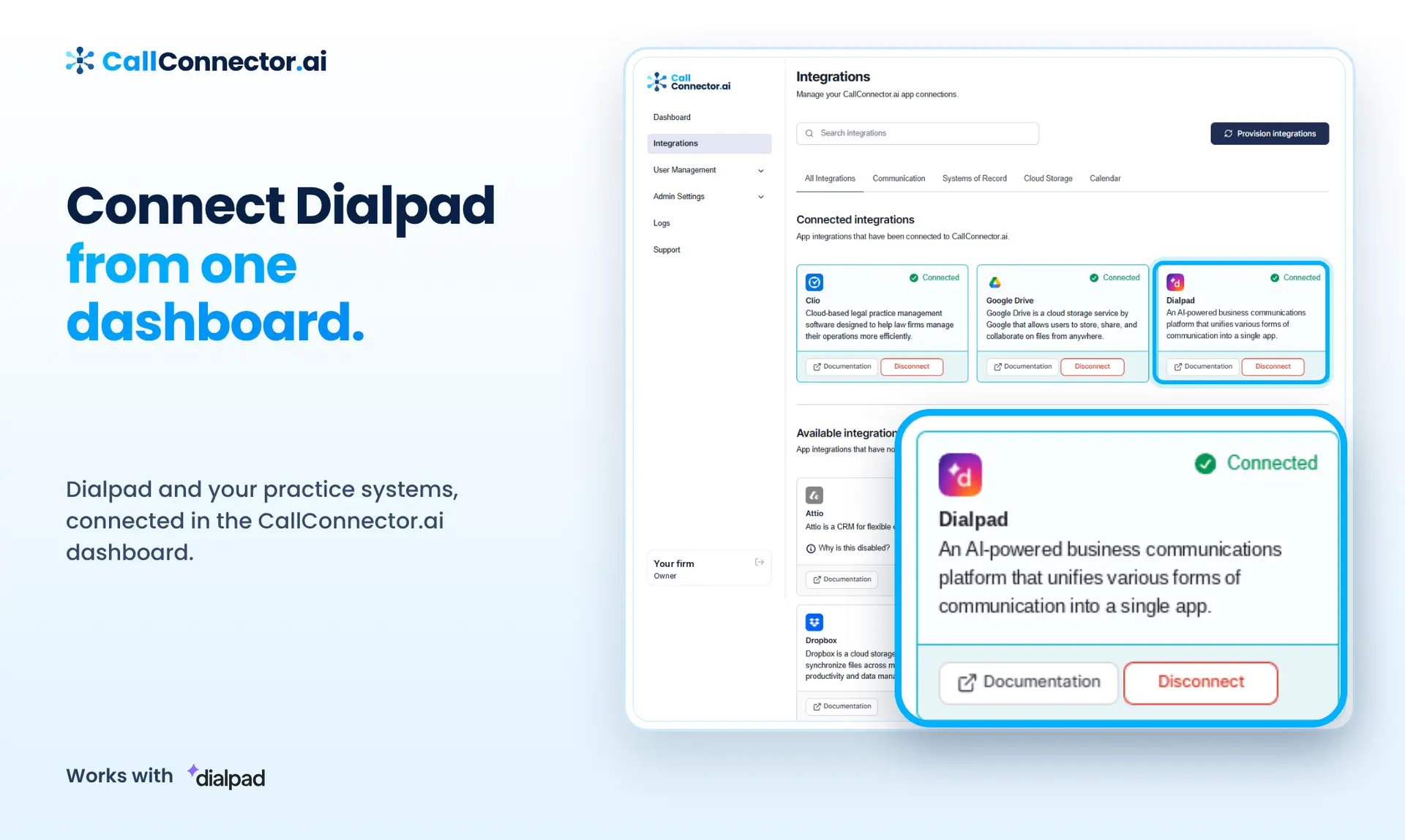
CallConnector.ai connects Dialpad with Clio Manage, Clio Grow, Zoho CRM, Smokeball, Lawmatics and other tools law firms use every day. You can add the integration from Clio's App Directory or the ion8 Connect dashboard. Once it's connected, every inbound and outbound call and text is logged automatically.
Automatic Call and SMS Logging with Matter Association
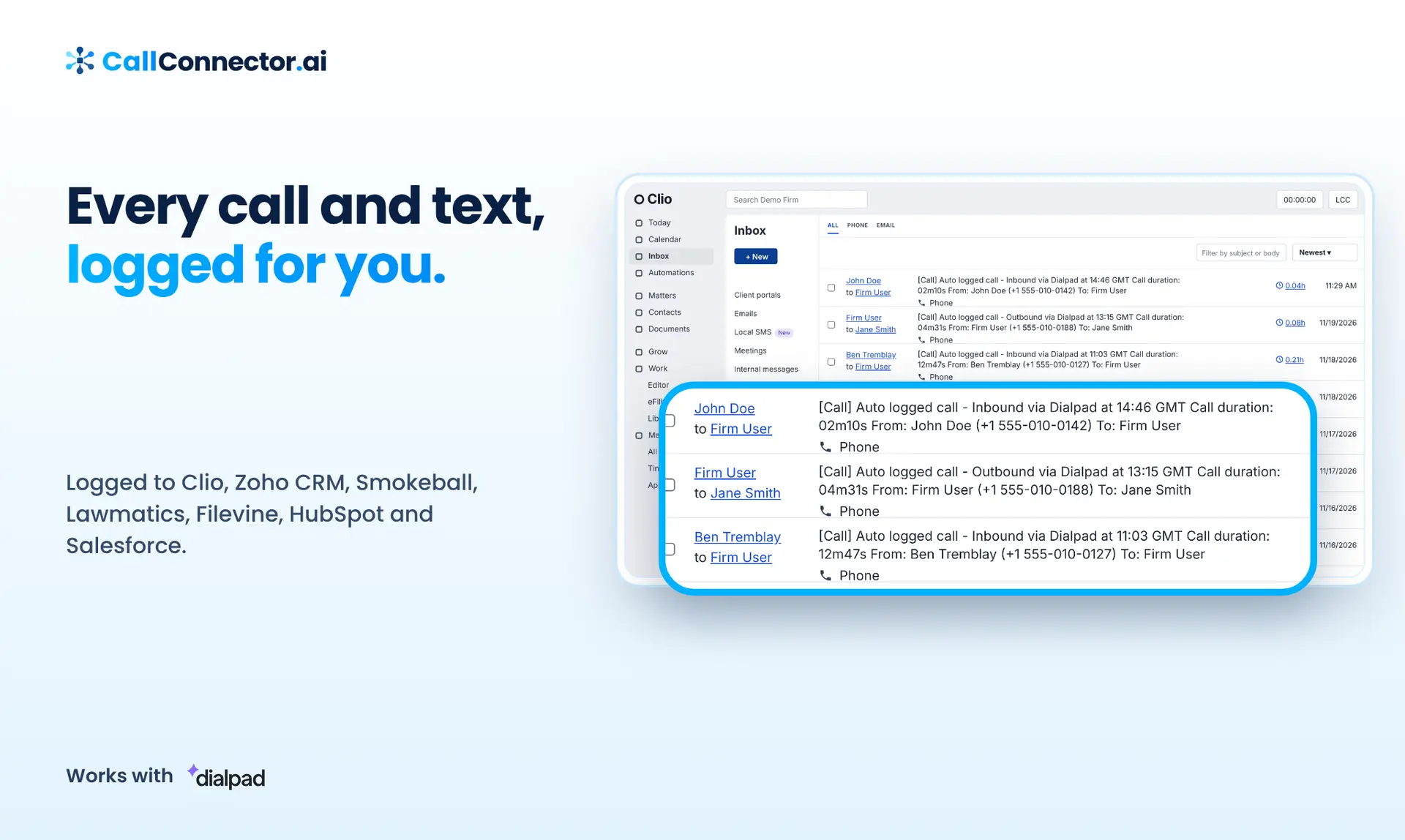
Every call and text you make or receive in Dialpad is logged to the right contact and matter, so nothing needs to be entered by hand.
Recording and Transcription Features
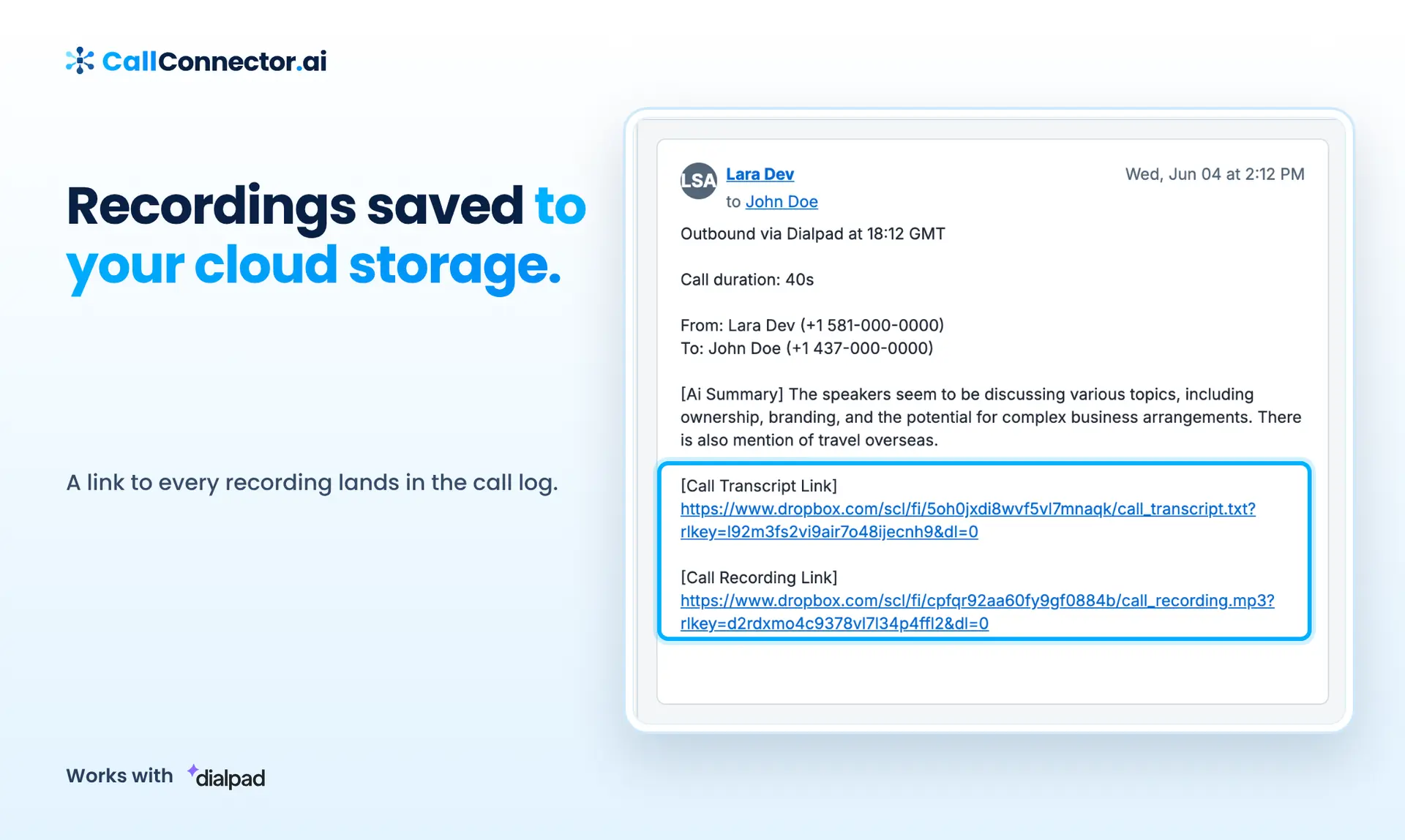
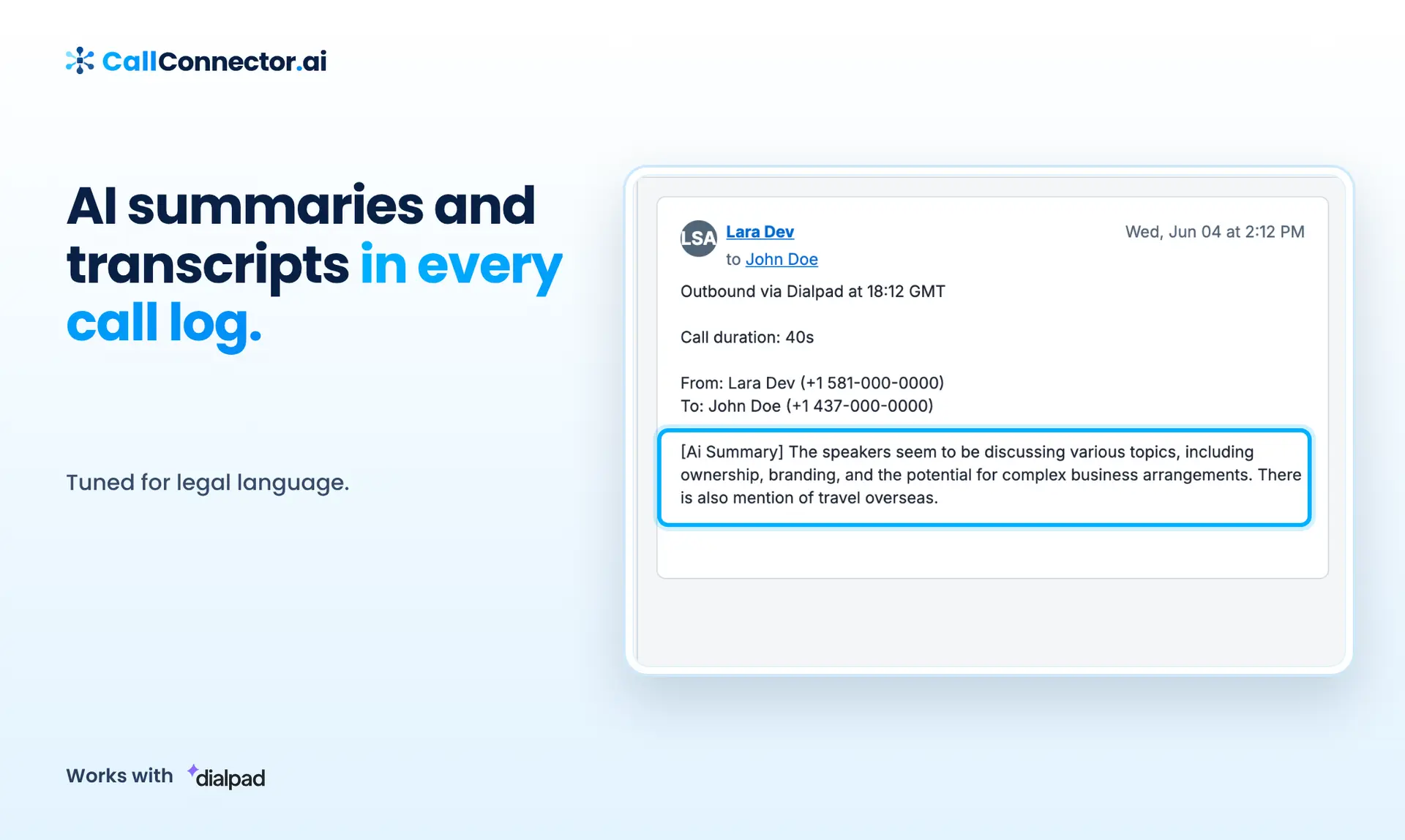
AI-generated transcripts and summaries are added to the activity entry automatically. Call recordings are saved to your preferred storage, and the links are added to the call log.
Device-Agnostic Logging
Calls are captured whether you use the Dialpad desktop app, the mobile app, the web app, or start the call from inside Clio, so logging is the same on every device.
Flexible Plans
CallConnector.ai offers plans for every firm size:
- The Free plan includes automatic call and SMS logging and matter association.
- The Way Better plan adds AI-based call summaries, legal-tuned transcripts, call recording storage and fax logging.
- The Enterprise plan is for teams with custom needs.
View all plans at callconnector.ai/pricing.
Why Dialpad and CallConnector.ai Are a Smart Move for Law Firms
- Every call and text is logged: Dialpad calls and texts go straight into your practice system, matched to the right contact and matter, so no billable time slips through.
- AI notes go where you need them: AI transcripts and summaries are added to the activity entry, and recordings are saved to your own storage with a link in the call log.
- Made for legal work: Transcripts are tuned for legal language, and fax activity is logged too.
- Fits the tools you already use: CallConnector.ai logs to Clio Manage, Clio Grow, Zoho CRM, Lawmatics and Smokeball, and can update more than one system at once.
- Works on every device: Logging is the same on the Dialpad desktop, mobile and web apps, and when you call from inside Clio.
- Easy to add: Add it from the Dialpad Marketplace, the Clio App Directory or the ion8 Connect dashboard. Start on the Free plan and upgrade when you need more.
How to Setup
- You'll need a Dialpad Company Admin account.
- Sign up at CallConnector.ai and create your CallConnector.ai dashboard account, using the same email you subscribed with.
- In the CallConnector.ai dashboard, go to App Authorization and click Authorize next to Dialpad.
- Sign in to Dialpad as a Company Admin and approve the connection.
- Connect your practice system, such as Clio or Zoho CRM.
- In the Users tab of the dashboard, give your users licenses, then click Deploy.
- Turn on AI in Dialpad so call summaries and transcripts come through.
Key Features
- Calls and texts (SMS and MMS) are logged automatically.
- Each call is matched to the right contact and to the matter on paid plans.
- AI summaries and transcripts are added to the log entry.
- Transcription is tuned for legal wording.
- Call recordings are saved to your storage, with a link in the log.
- Transcripts and recordings can also be saved to Clio documents.
- It works with Clio Manage, Clio Grow, Zoho CRM, Smokeball, Lawmatics, Filevine, HubSpot, Salesforce, and more.
- Plans can be mixed by user, so only the people who need AI features pay for them.
- A Free plan is available.
Resources
CallConnector.ai
CallConnector.ai logs Dialpad calls and texts to Clio Manage, Clio Grow, Zoho CRM, Smokeball, Lawmatics, and many more accounts to increase call efficiency and improve your customer relationships.
Media
Overview
Seamless Integration with Clio, Zoho CRM, Smokeball, Lawmatics and More
CallConnector.ai connects Dialpad with Clio Manage, Clio Grow, Zoho CRM, Smokeball, Lawmatics and other tools law firms use every day. You can add the integration from Clio's App Directory or the ion8 Connect dashboard. Once it's connected, every inbound and outbound call and text is logged automatically.
Automatic Call and SMS Logging with Matter Association
Every call and text you make or receive in Dialpad is logged to the right contact and matter, so nothing needs to be entered by hand.
Recording and Transcription Features
AI-generated transcripts and summaries are added to the activity entry automatically. Call recordings are saved to your preferred storage, and the links are added to the call log.
Device-Agnostic Logging
Calls are captured whether you use the Dialpad desktop app, the mobile app, the web app, or start the call from inside Clio, so logging is the same on every device.
Flexible Plans
CallConnector.ai offers plans for every firm size:
- The Free plan includes automatic call and SMS logging and matter association.
- The Way Better plan adds AI-based call summaries, legal-tuned transcripts, call recording storage and fax logging.
- The Enterprise plan is for teams with custom needs.
View all plans at callconnector.ai/pricing.
Why Dialpad and CallConnector.ai Are a Smart Move for Law Firms
- Every call and text is logged: Dialpad calls and texts go straight into your practice system, matched to the right contact and matter, so no billable time slips through.
- AI notes go where you need them: AI transcripts and summaries are added to the activity entry, and recordings are saved to your own storage with a link in the call log.
- Made for legal work: Transcripts are tuned for legal language, and fax activity is logged too.
- Fits the tools you already use: CallConnector.ai logs to Clio Manage, Clio Grow, Zoho CRM, Lawmatics and Smokeball, and can update more than one system at once.
- Works on every device: Logging is the same on the Dialpad desktop, mobile and web apps, and when you call from inside Clio.
- Easy to add: Add it from the Dialpad Marketplace, the Clio App Directory or the ion8 Connect dashboard. Start on the Free plan and upgrade when you need more.
How to Setup
- You'll need a Dialpad Company Admin account.
- Sign up at CallConnector.ai and create your CallConnector.ai dashboard account, using the same email you subscribed with.
- In the CallConnector.ai dashboard, go to App Authorization and click Authorize next to Dialpad.
- Sign in to Dialpad as a Company Admin and approve the connection.
- Connect your practice system, such as Clio or Zoho CRM.
- In the Users tab of the dashboard, give your users licenses, then click Deploy.
- Turn on AI in Dialpad so call summaries and transcripts come through.
Key Features
- Calls and texts (SMS and MMS) are logged automatically.
- Each call is matched to the right contact and to the matter on paid plans.
- AI summaries and transcripts are added to the log entry.
- Transcription is tuned for legal wording.
- Call recordings are saved to your storage, with a link in the log.
- Transcripts and recordings can also be saved to Clio documents.
- It works with Clio Manage, Clio Grow, Zoho CRM, Smokeball, Lawmatics, Filevine, HubSpot, Salesforce, and more.
- Plans can be mixed by user, so only the people who need AI features pay for them.
- A Free plan is available.